Autonomous trip recording
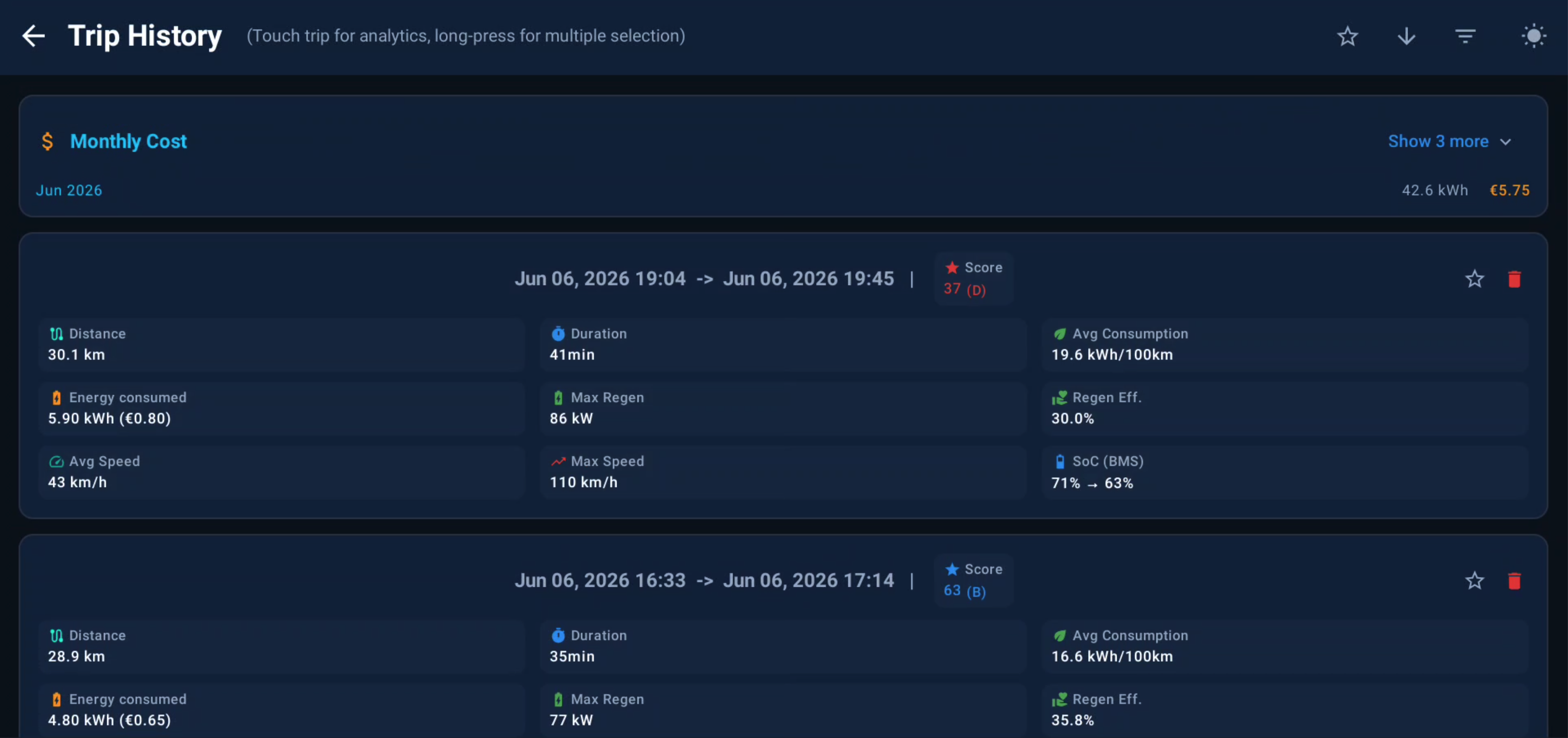
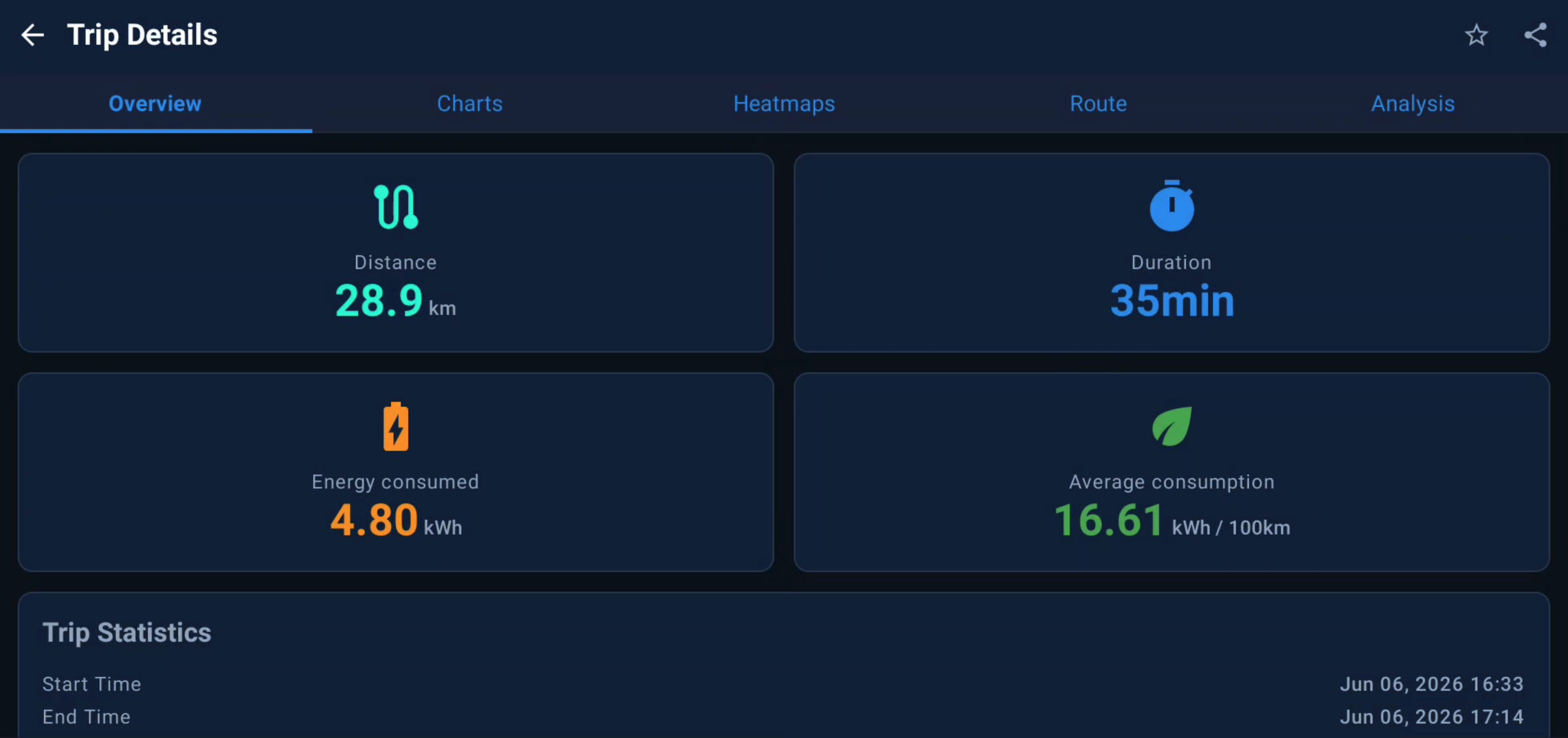
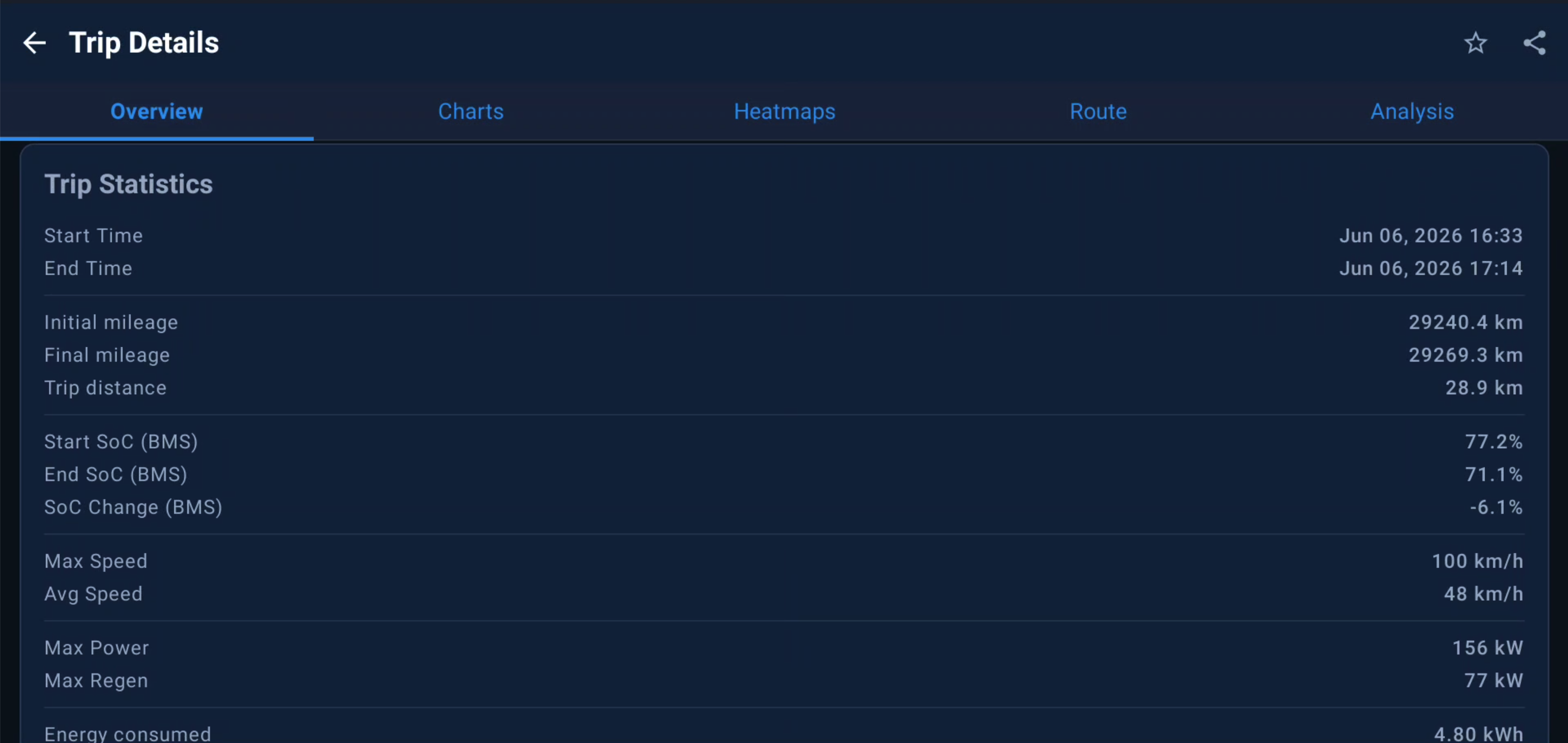
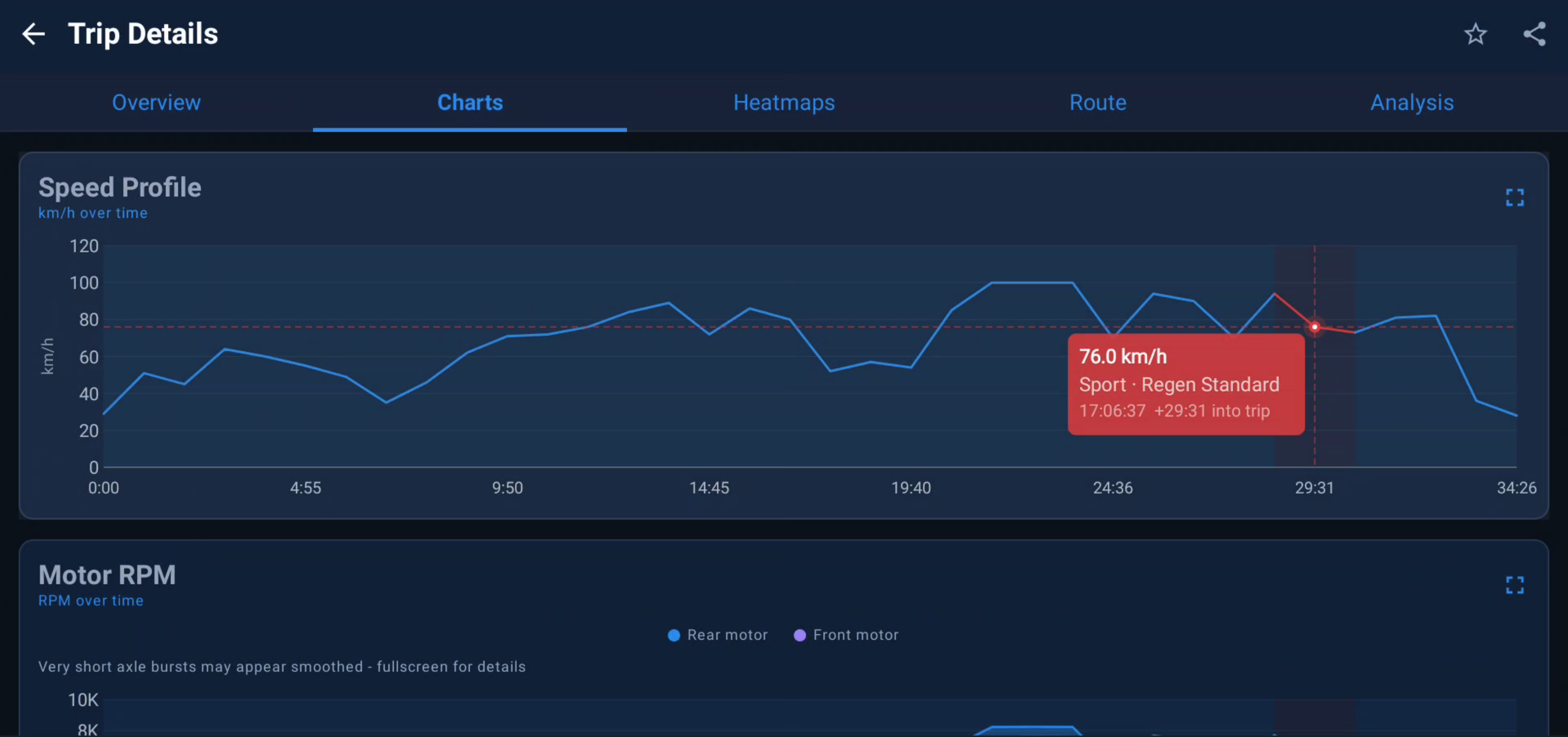
Trips start and stop on their own from gear-position events (D/R → P). Brief stops stitch into one journey. Zero driver input, with manual override when you want it.
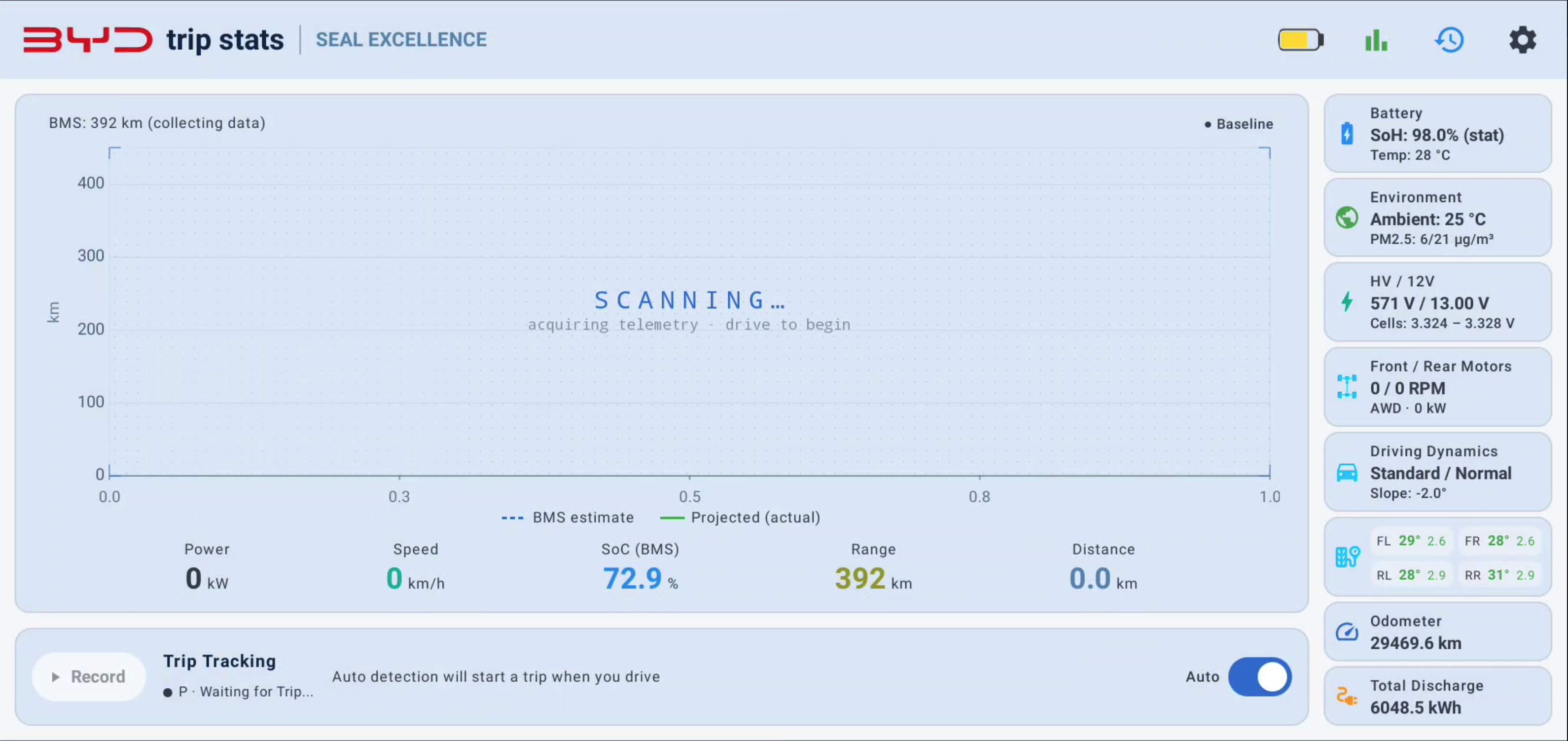
BYD Trip Stats is a standalone analytics app that runs directly on your DiLink head unit — reading live data straight from the vehicle SDK. Autonomous trip recording, real-time range projection, charging-curve analysis and battery health, all stored 100% on your car. No cloud, no companion bridge.
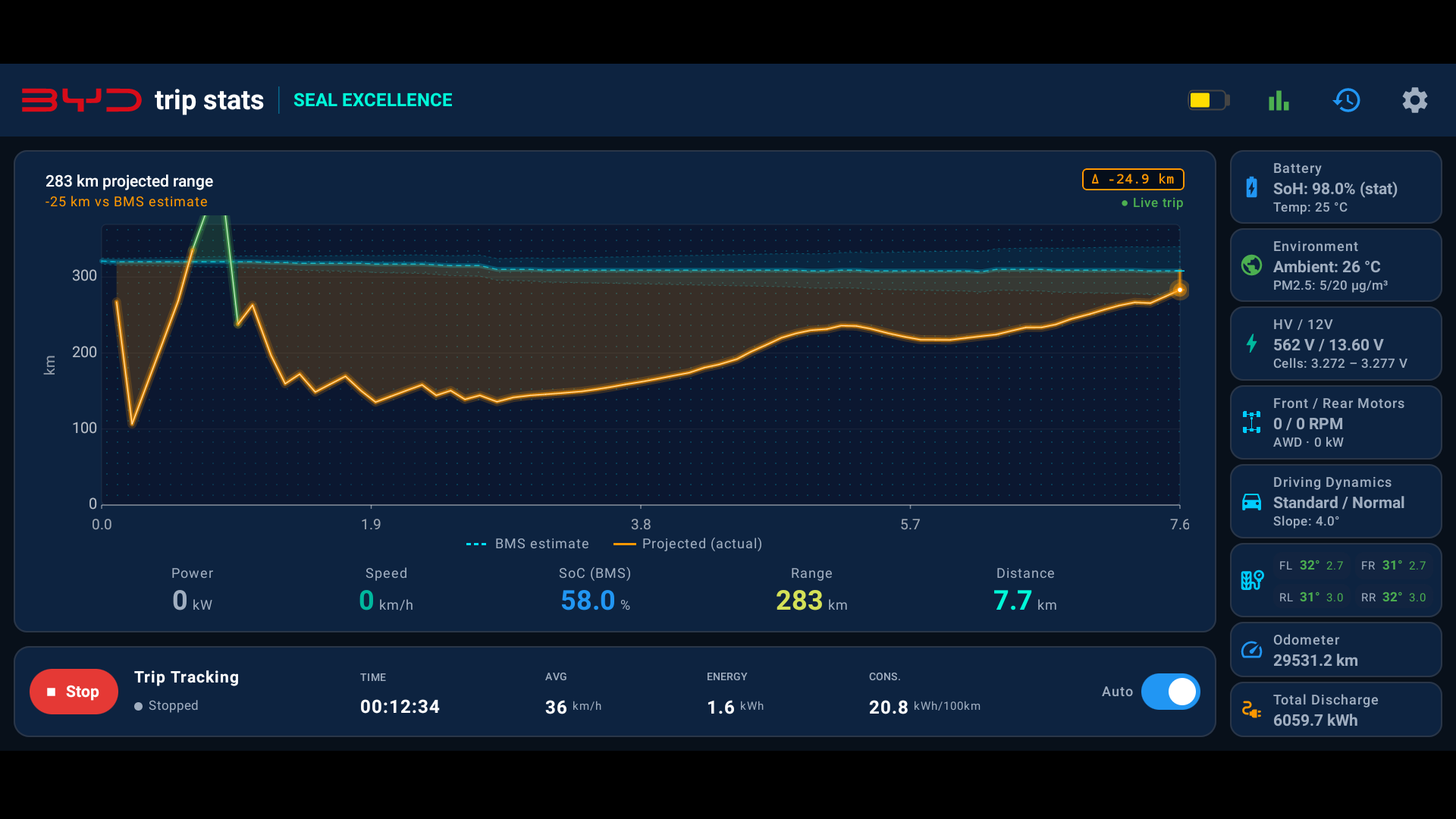
The app polls the vehicle SDK directly and turns raw CAN-bus telemetry into a rich, offline analytics suite that the factory infotainment never gave you.
Trips start and stop on their own from gear-position events (D/R → P). Brief stops stitch into one journey. Zero driver input, with manual override when you want it.
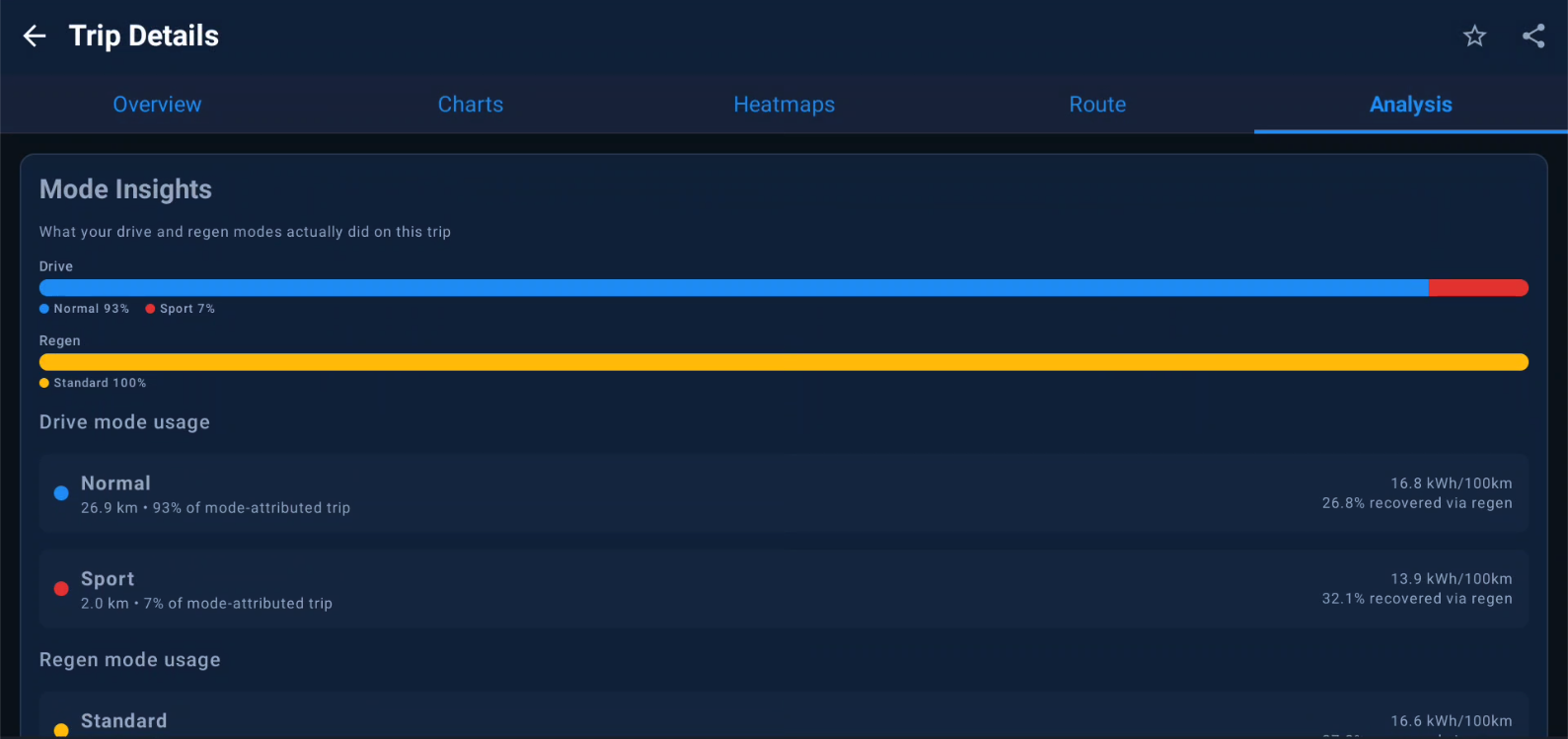
A consumption model fed from the BMS discharge counter — not the static factory estimate — self-calibrates over a rolling 10 km window and is bounded by WLTP.
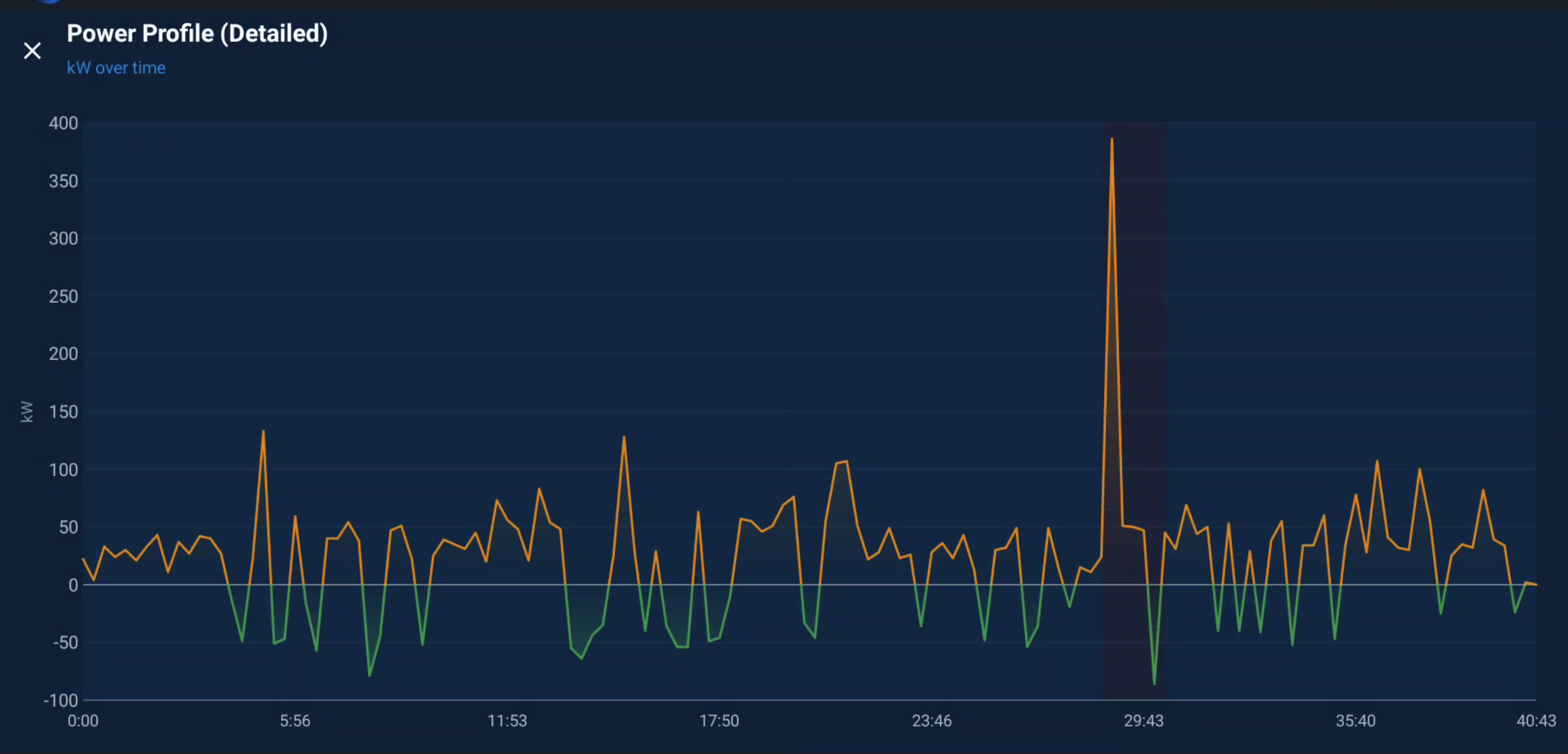
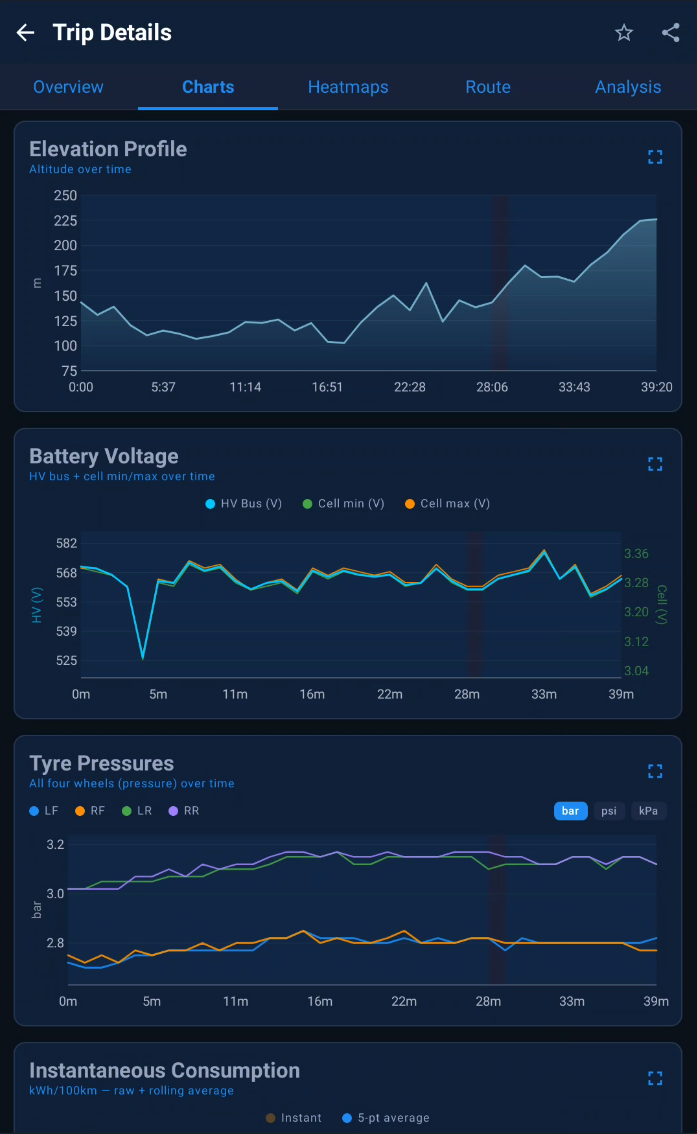
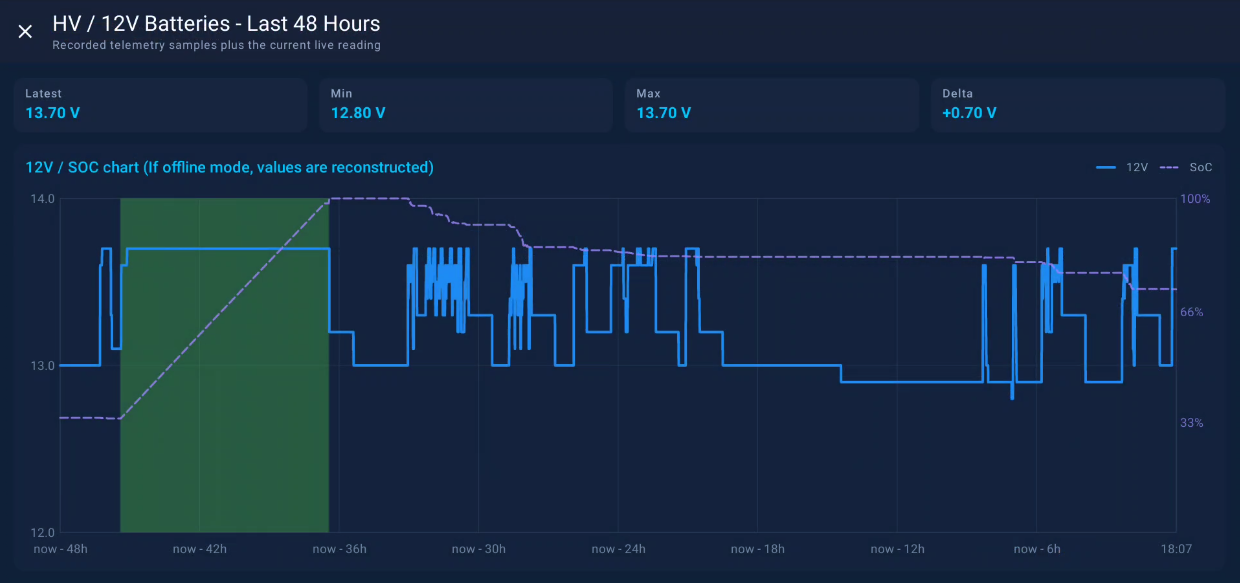
Per-axle motor RPM, power split, gear, speed, regen detection — plus HV/12 V bus voltage, tyre pressures and temperatures where the car exposes them.
SoH over time with a least-squares trend line that projects the year your pack reaches the 80% warranty threshold. Cell voltage spread and thermal delta included.
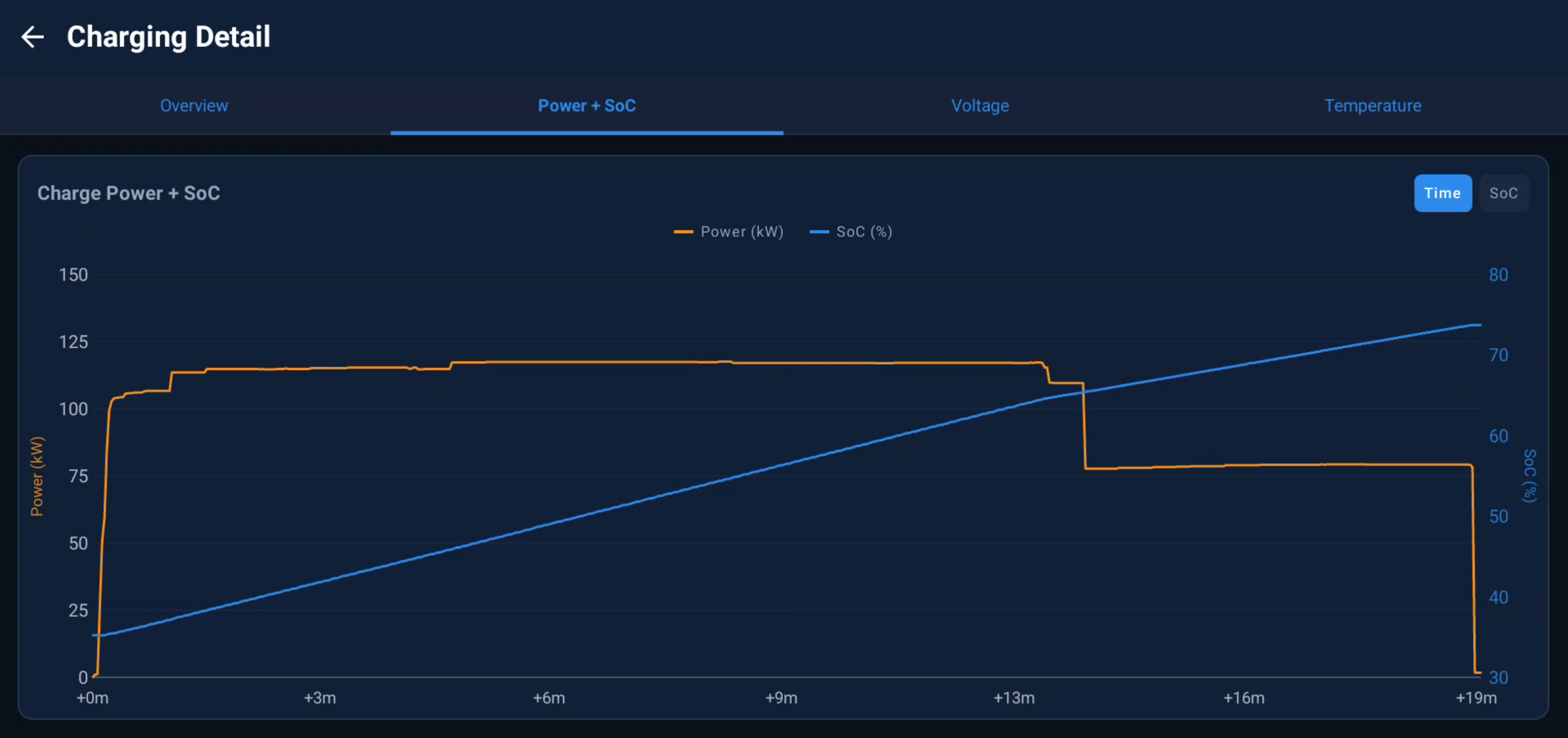
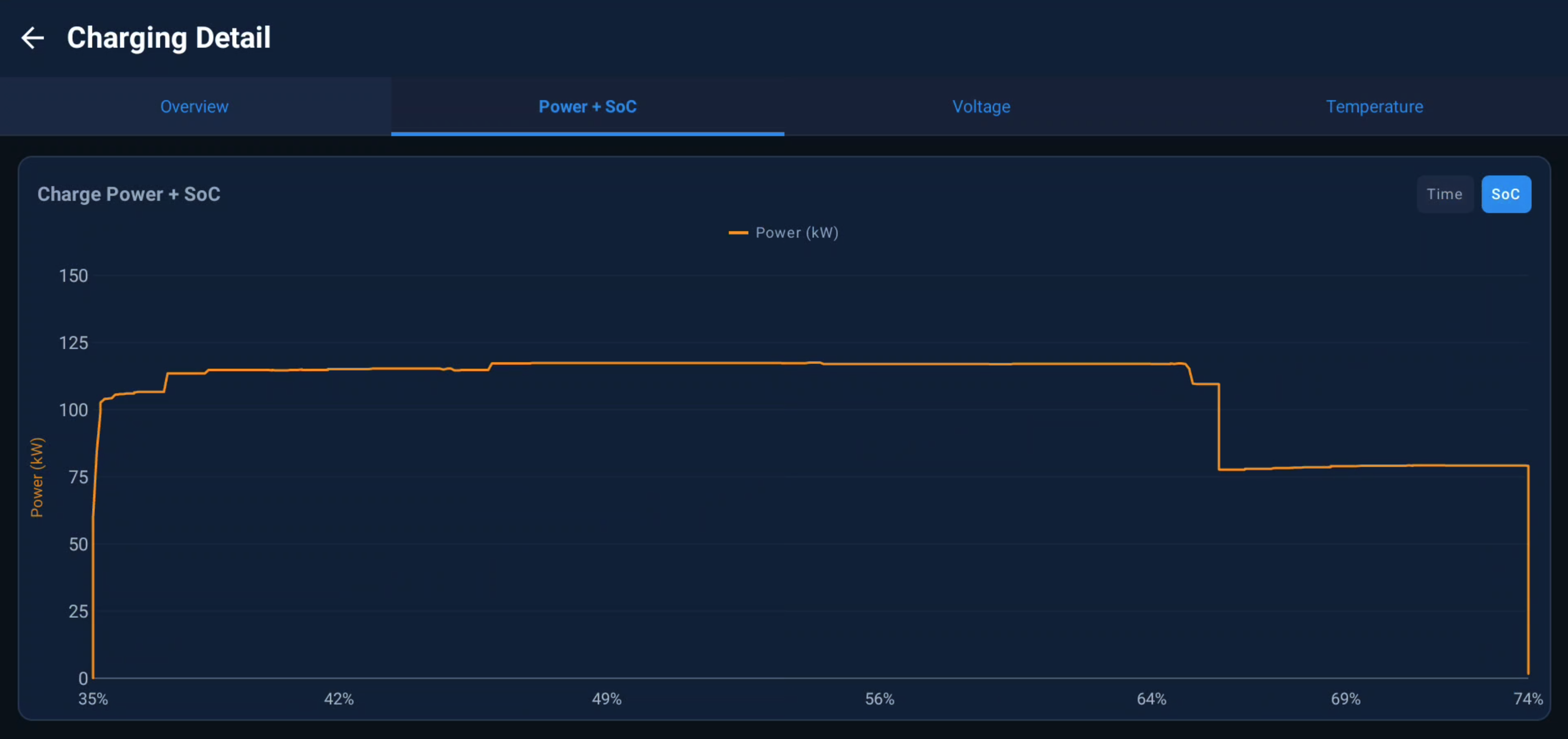
Full power / SoC / voltage / temperature curves while charging. Overnight and remote sessions are reconstructed from SoC deltas even when DiLink sleeps the app.
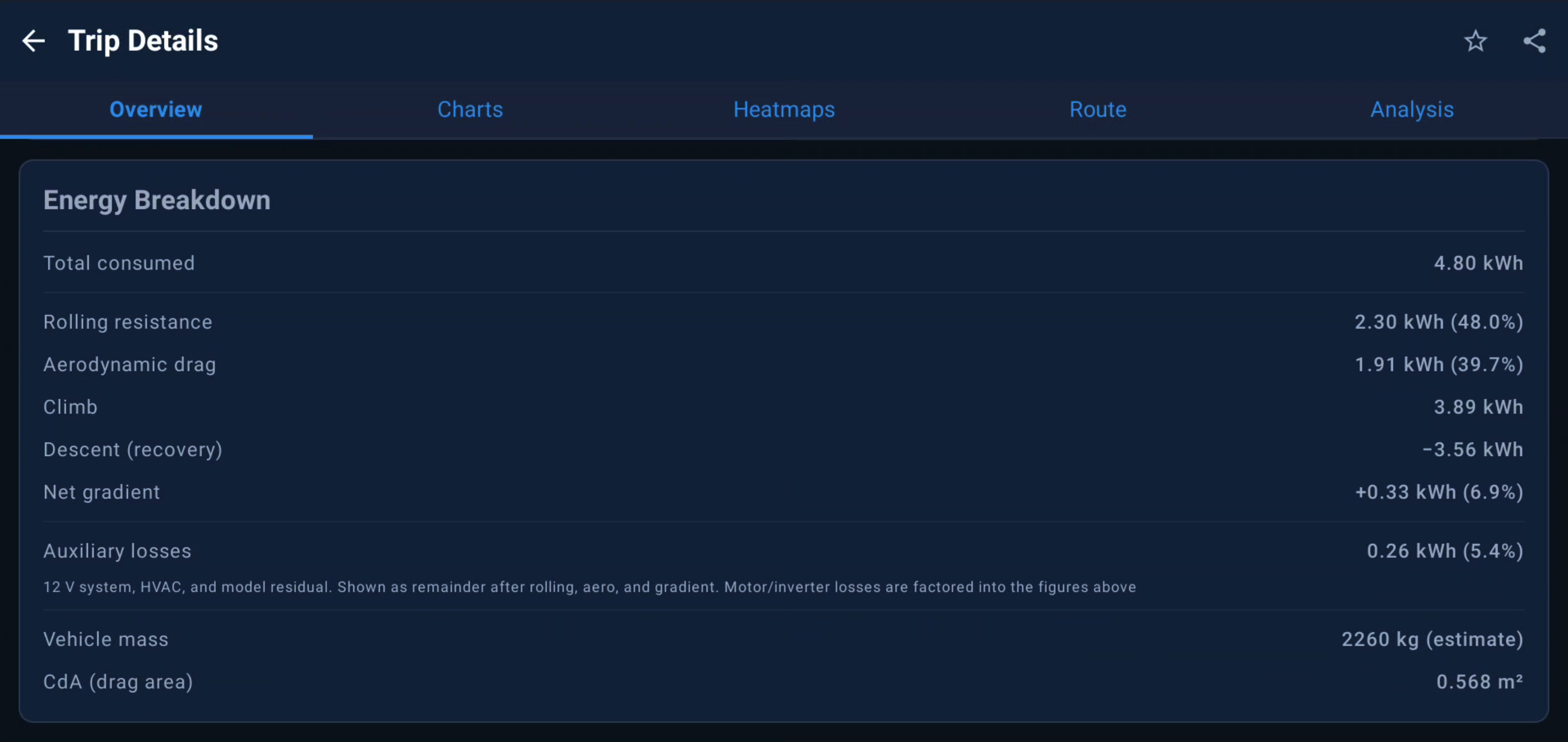
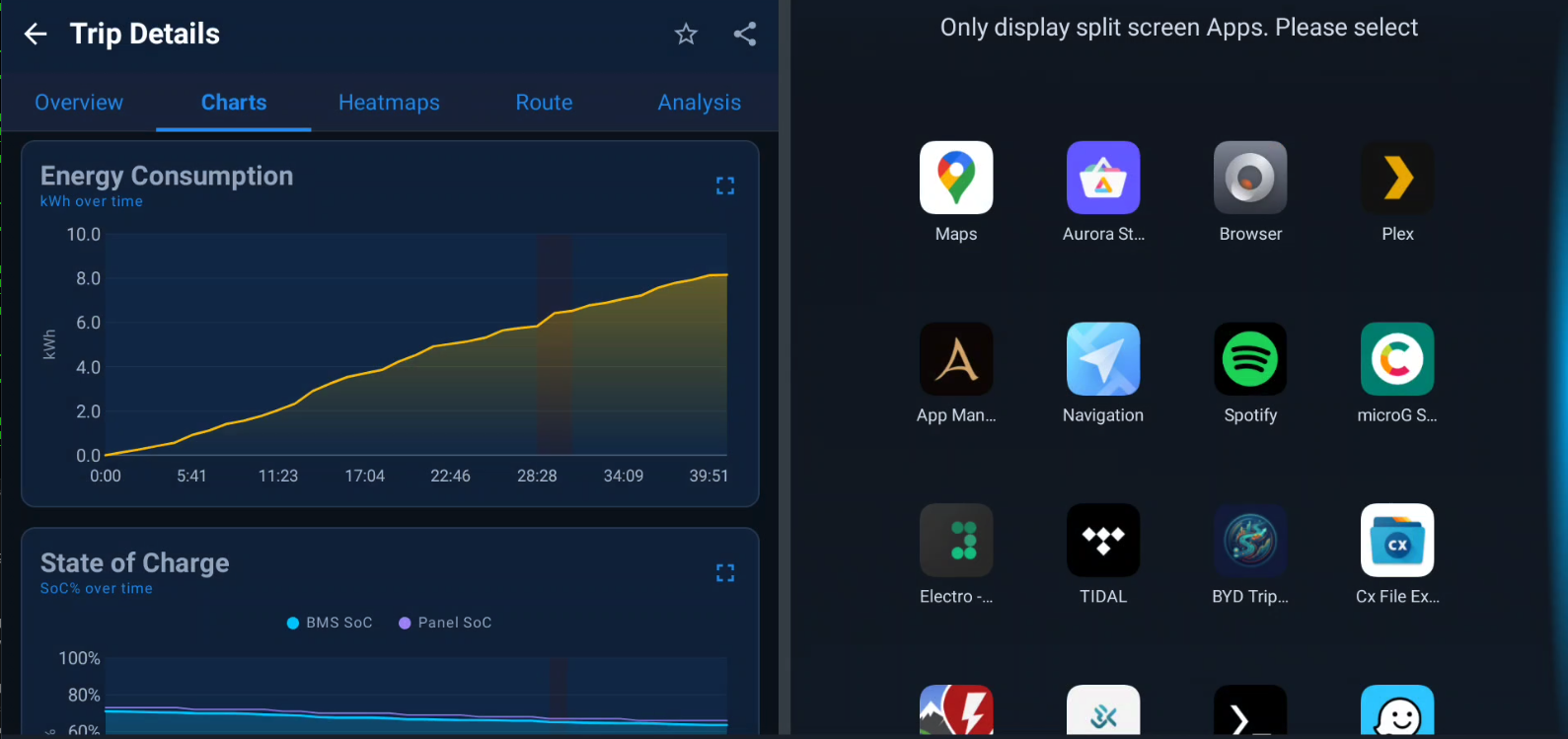
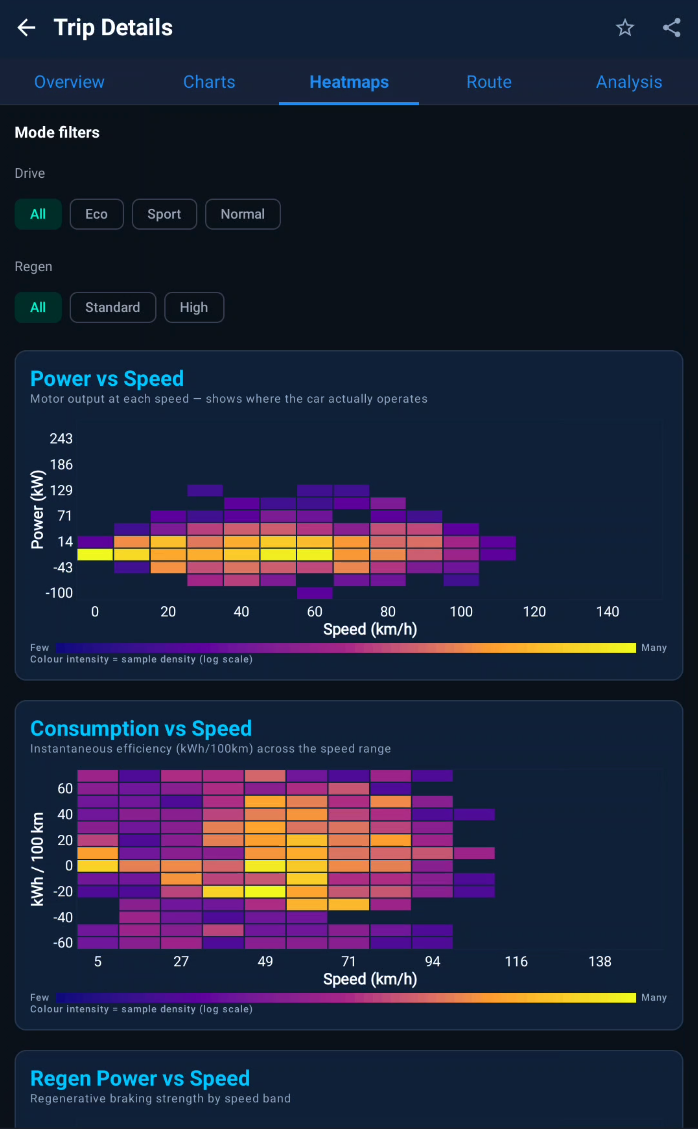
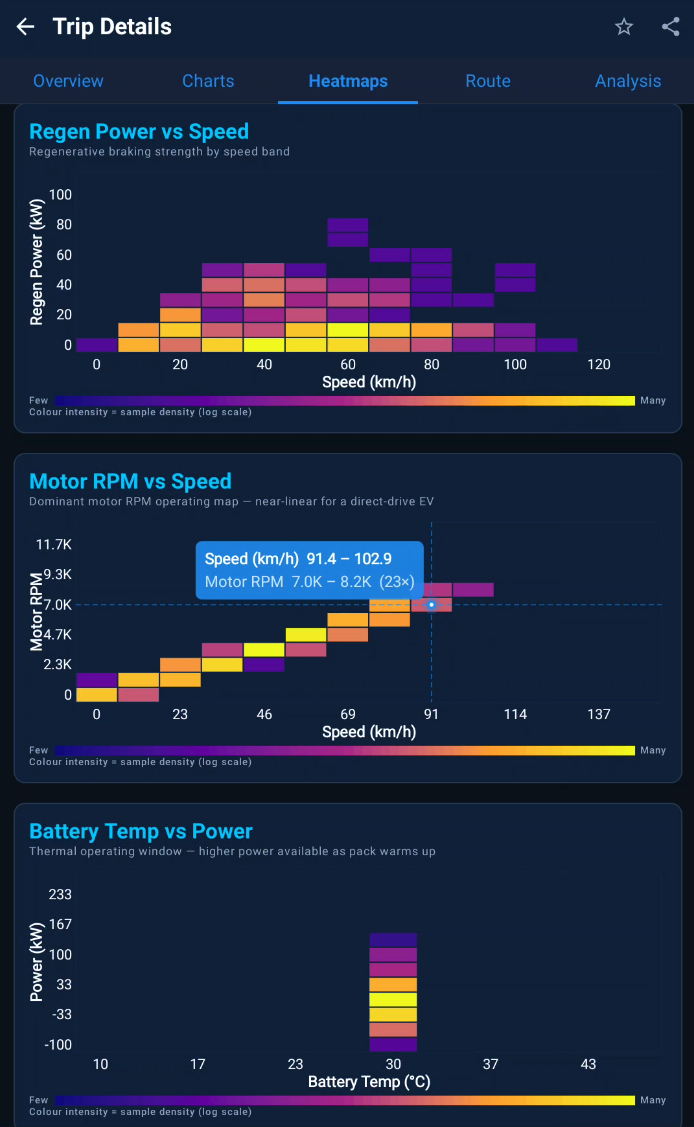
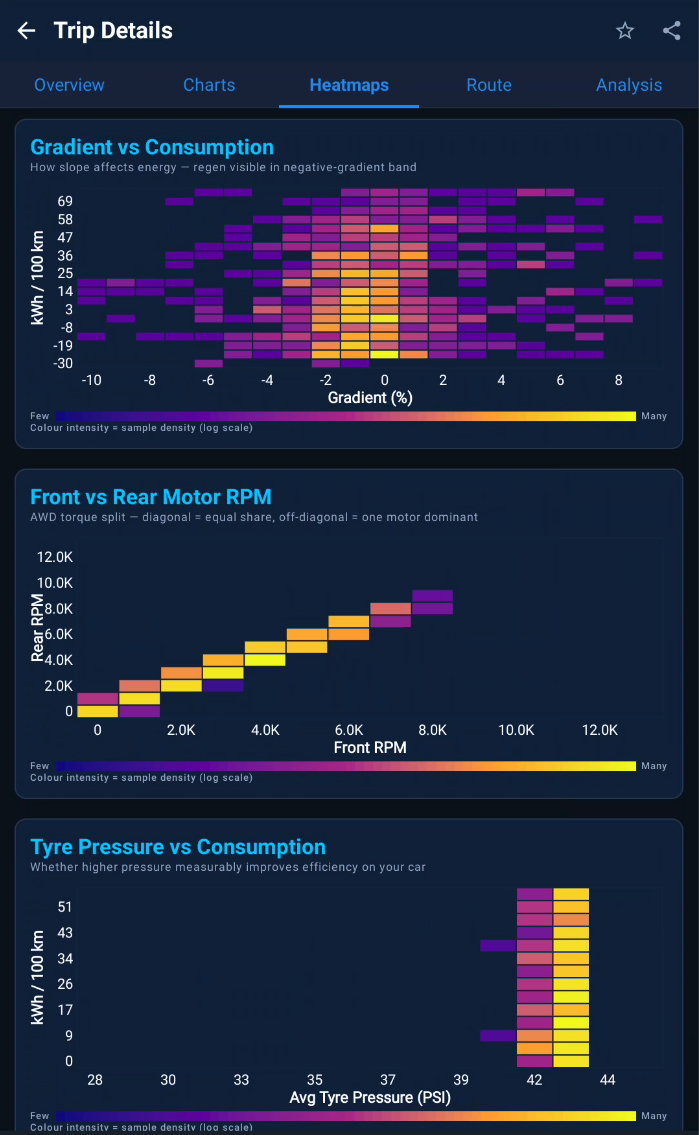
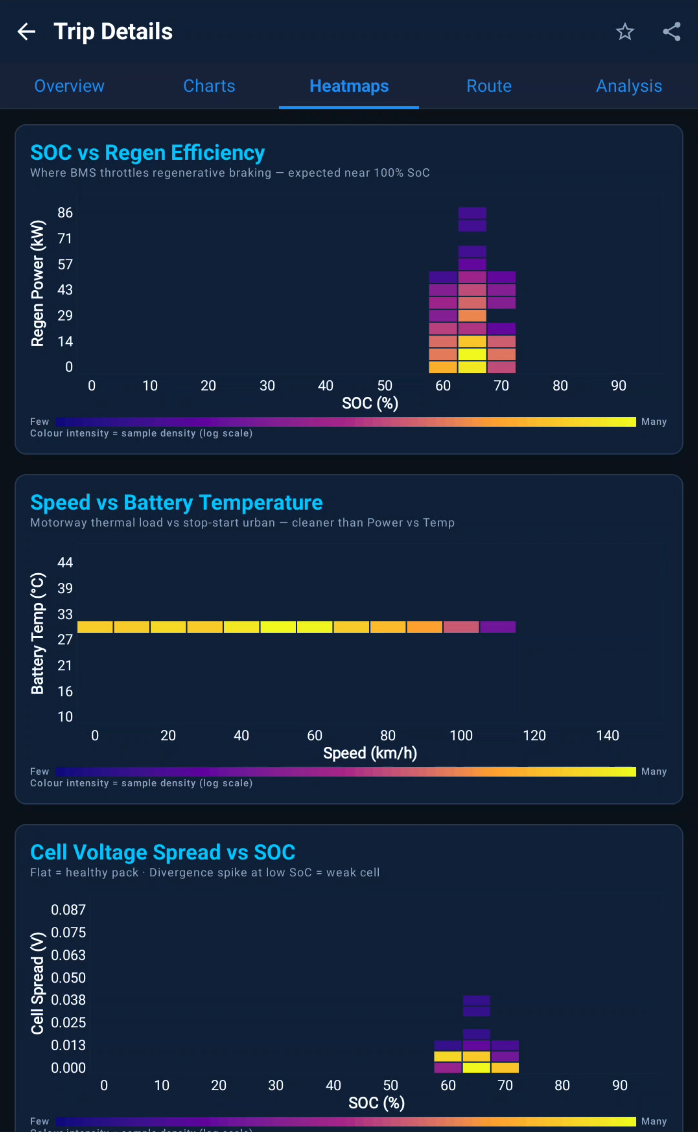
Custom Canvas charts for every metric, 14 correlation heatmaps with crosshair bin read-out, and a physics-based per-trip energy breakdown (drag, rolling, gradient, regen).
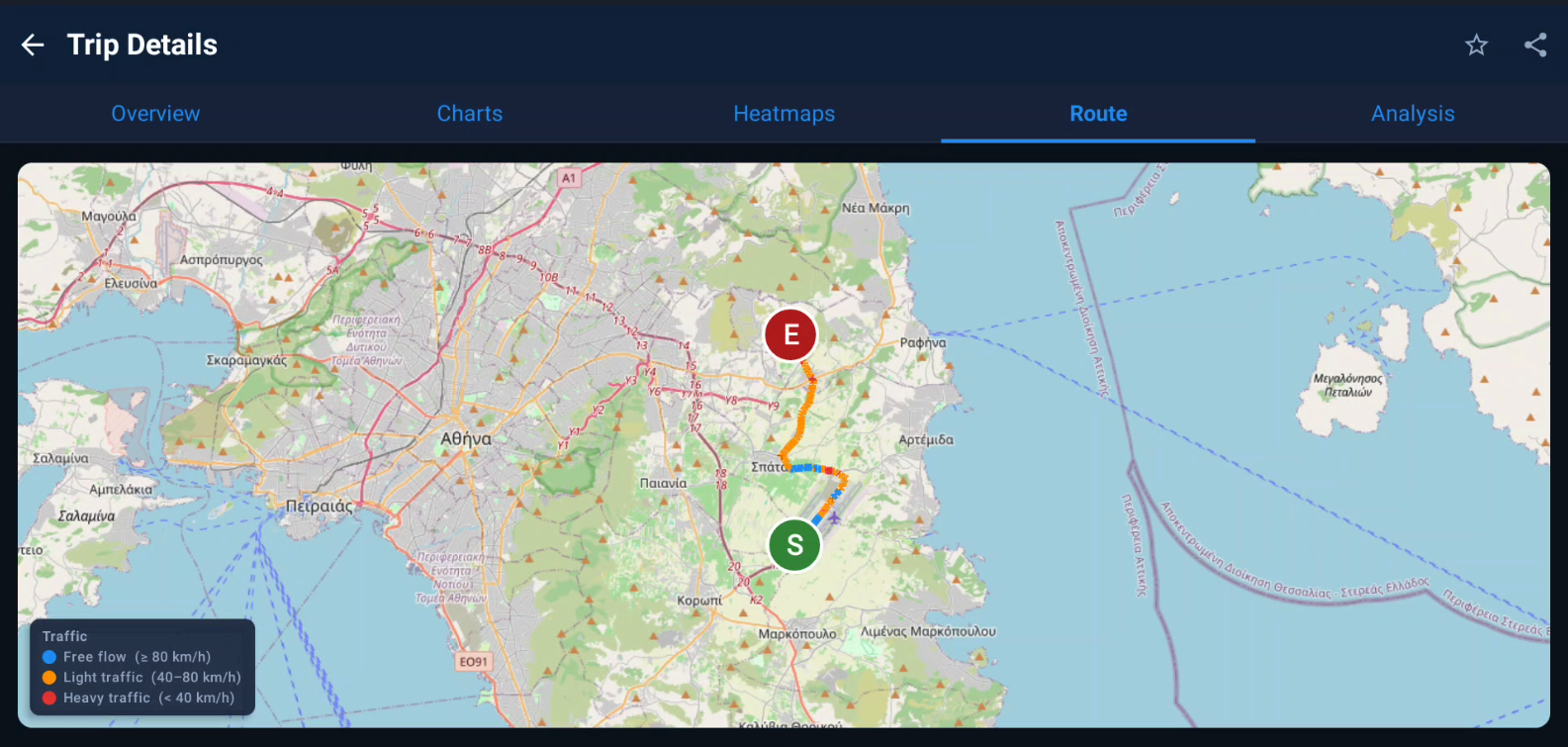
OpenStreetMap route overlays with energy-event markers, rendered fully offline so your trips draw on the map without any connection.
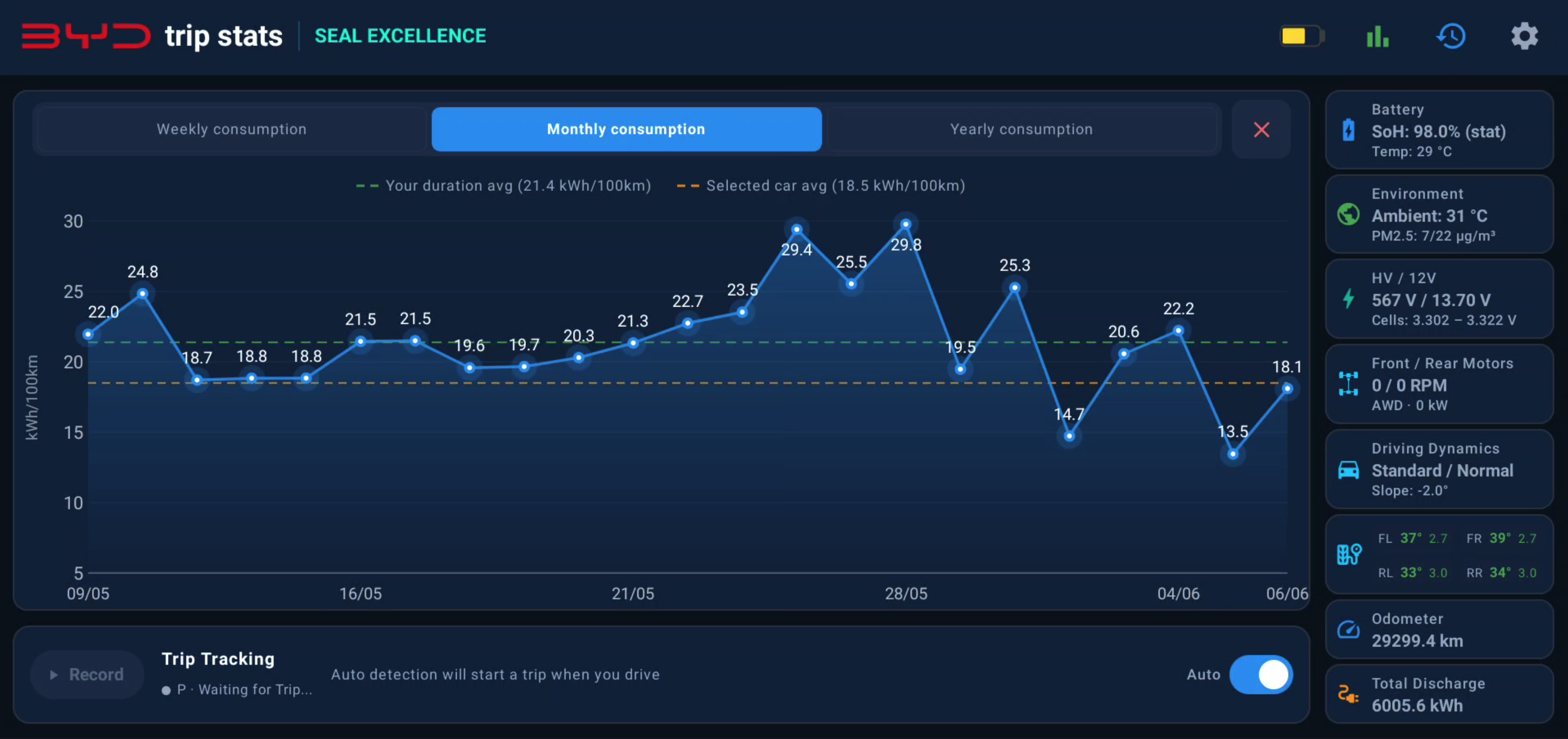
Multi-field filtering, six sort criteria, daily/weekly/monthly/annual consumption views, and per-trip export to CSV, JSON or a self-contained HTML viewer.
Opt-in ABRP upload, outbound MQTT for Home Assistant, an offline-first PWA web companion, and encrypted Telegram or local backups. All disabled by default.
Most cars show you a single static estimate. BYD Trip Stats models your real Wh/km from the same BMS total-discharge counter that feeds the live consumption readout — then projects forward in three tiers.
Every projection is compared continuously against the BMS estimate with a signed delta, so you always see how the model differs from the factory guess.
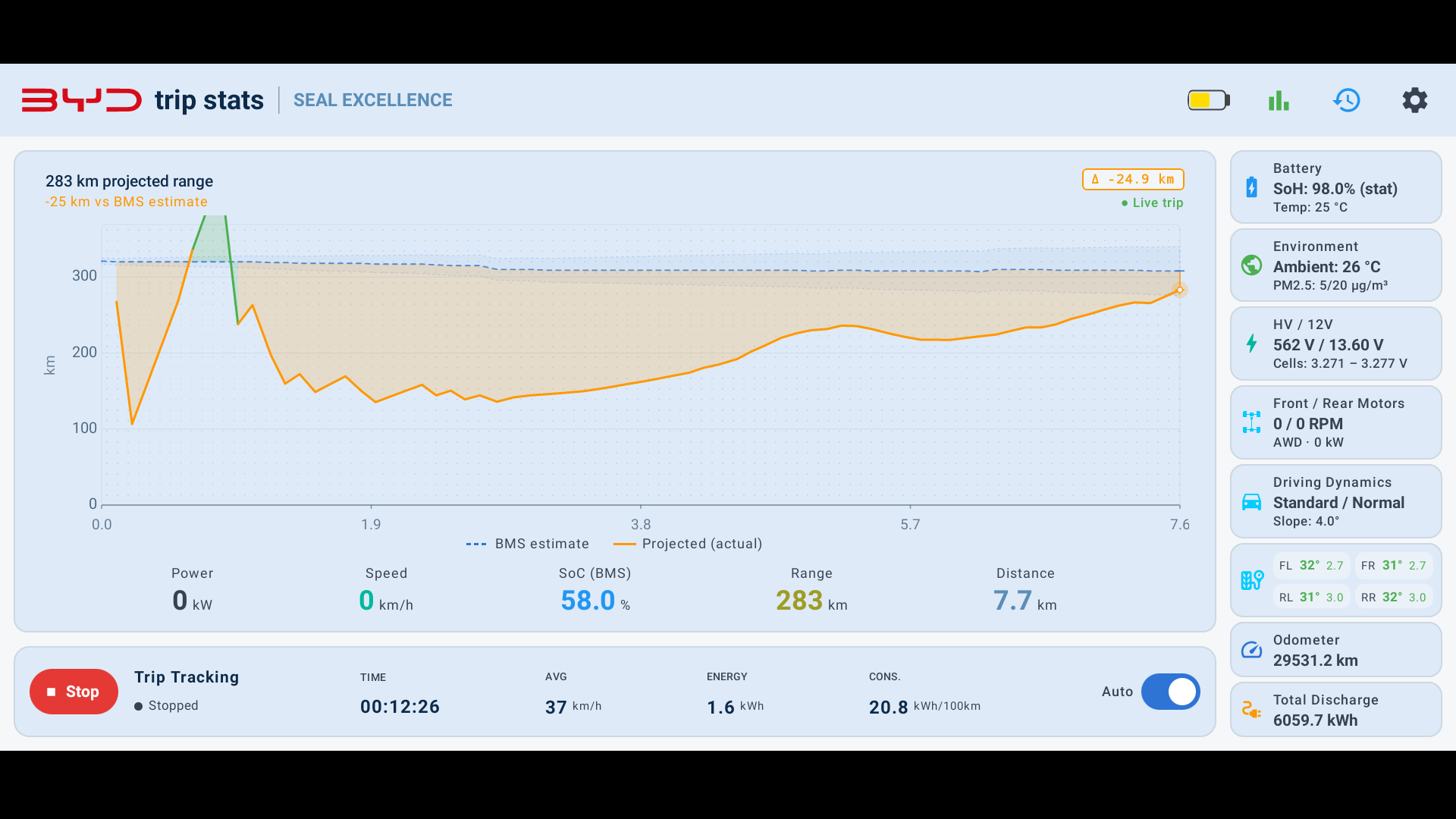
Adaptive landscape, portrait and split-screen layouts. The palette mirrors the DiLink Ocean Series dark and light themes.
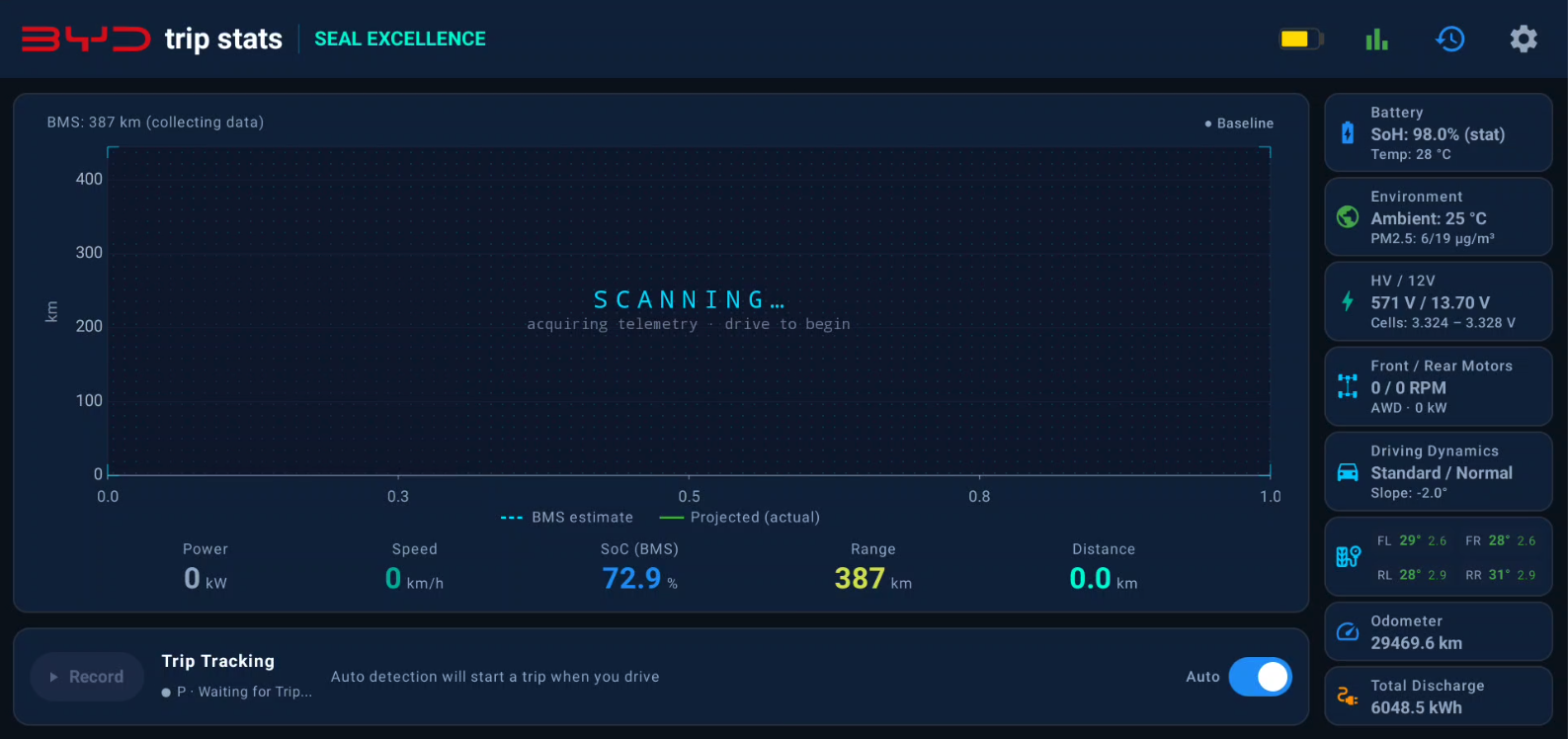
By default, nothing leaves your car. All telemetry, trips and charging data live in an on-device database. Network access only happens for integrations you explicitly switch on.
No tracking, no crash reporting, no analytics, no ads.
The app itself collects and transmits no personal data.
Opt-in flows send only to endpoints you configure.
| Opt-in integration | What's sent | Where |
|---|---|---|
| Telegram backup | Encrypted database file | Your own private bot |
| MQTT | Live telemetry JSON | A broker you specify |
| ABRP | Live snapshot (SoC, speed, GPS) | ABRP, via your token |
Any DiLink 3.0 vehicle on Android 10+. Tested primarily on the Seal; other models depend on how close their firmware is. BEV and PHEV (DM-i) both supported.
The whole app is free and stays free. Pro is a one-time unlock for a few premium extras — mostly a thank-you that helps fund development. It's verified entirely on-device: no account, no subscription, nothing leaves your car.
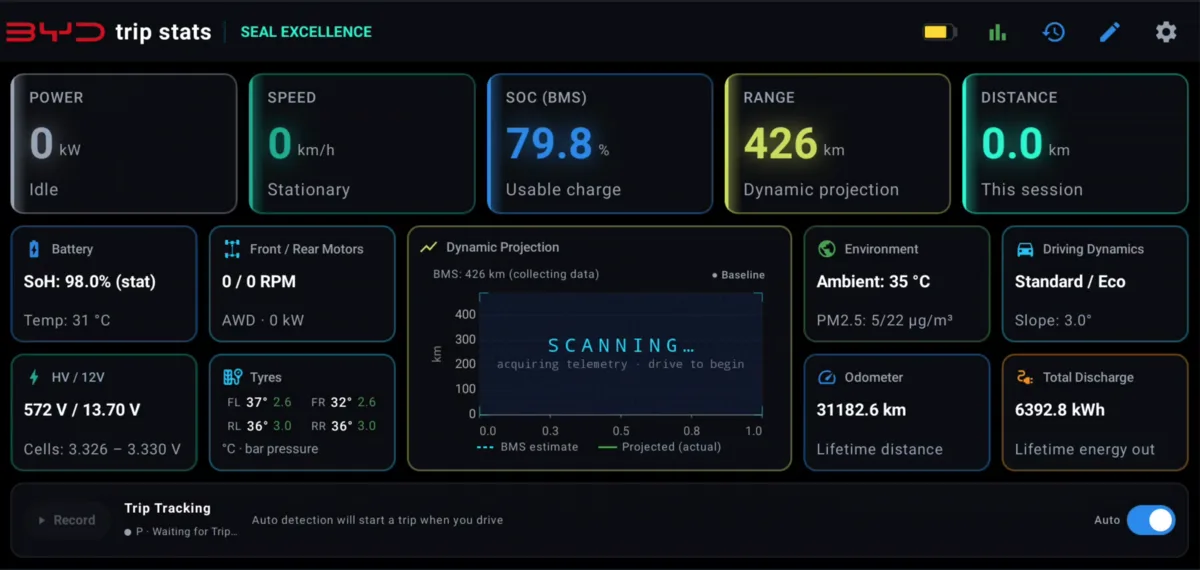
A larger, fully customisable dashboard — big, well-spaced tiles in place of the central chart. Drag to reorder them, show or hide the ones you want, and tap the Range tile to open the projection chart full-size. It even reflows to a compact single screen in split-screen.
A pure-black, OLED-friendly dark theme whose power-metric digits and accent stripes glow like neon, with a subtle accent edge on every card.
Get notified when your pack's cell-voltage spread stays above a limit you set — an early warning for a weak or failing cell, watched while you drive or charge.
Export a printable PDF or HTML report of your State of Health, decline rate and the projected date you hit 80% — useful evidence for resale or a warranty claim.
Save the full trip database to a folder on a removable SD card — off-device redundancy that survives an app uninstall and can be read on any computer.
Tap the BYD logo to save a pixel-perfect screenshot of the live dashboard straight to your Downloads — handy for sharing your screen.
Pay once, unlocked forever on that car — no subscription, no account. The code is tied to your vehicle, so it only ever unlocks the car it was bought for.
No. The app runs fully standalone on supported vehicles. Integrations like MQTT and ABRP are optional and disabled by default.
Yes, the app is completely free for personal use. Premium features are essentially for those users who wanted to show their gratitude for the work put into the project. Those premium features will remain as a "good thing to have" but will not be a part of the app's core functionality. Pro is a one-time €9.99 unlock (lifetime, per vehicle) — see the Pro section above for exactly what it includes.
Install the free app, then open Settings → Pro and scan the on-screen QR with your phone (or copy your Vehicle ID) to email it to bydtripstats@gmail.com. You'll get a reply with payment instructions (€9.99, one-time) and a personal unlock code to paste in. The code is tied to your car, so it only unlocks that vehicle and survives app updates.
Not currently. The long-term goal is for BYD to ship something like this natively. For now it's a side-loaded APK. If you want assistance with how to side-load, you can visit this page here (https://github.com/DeBondor/byd-unlocking-guide/blob/main/README_EN.md)
Download the signed APK from GitHub Releases, enable installation from unknown sources on your DiLink unit, accept permissions by following the on-screen prompts, then pick your model on first launch.
Impact is minimal — the 12 V is continuously topped up from the high-voltage pack while the car is off. You can always set the app to minimal (reduced functionality) or off.
Yes. Everything stays on-device by default. The only outbound traffic is the opt-in Telegram, MQTT and ABRP integrations you configure yourself, plus a read-only update check.
If you car runs DiLink 3, regardless of being BEV or PHEV, then you can most definitely run the app.
Scroll down to the bottom of the page, you can find the github link (viewing source code and reporting bugs) and the discord community invitation-link for everything else. You can also send me an email if you prefer, just click the relevant button
Free, source-available, and built by a BYD Seal owner running it on production hardware today.